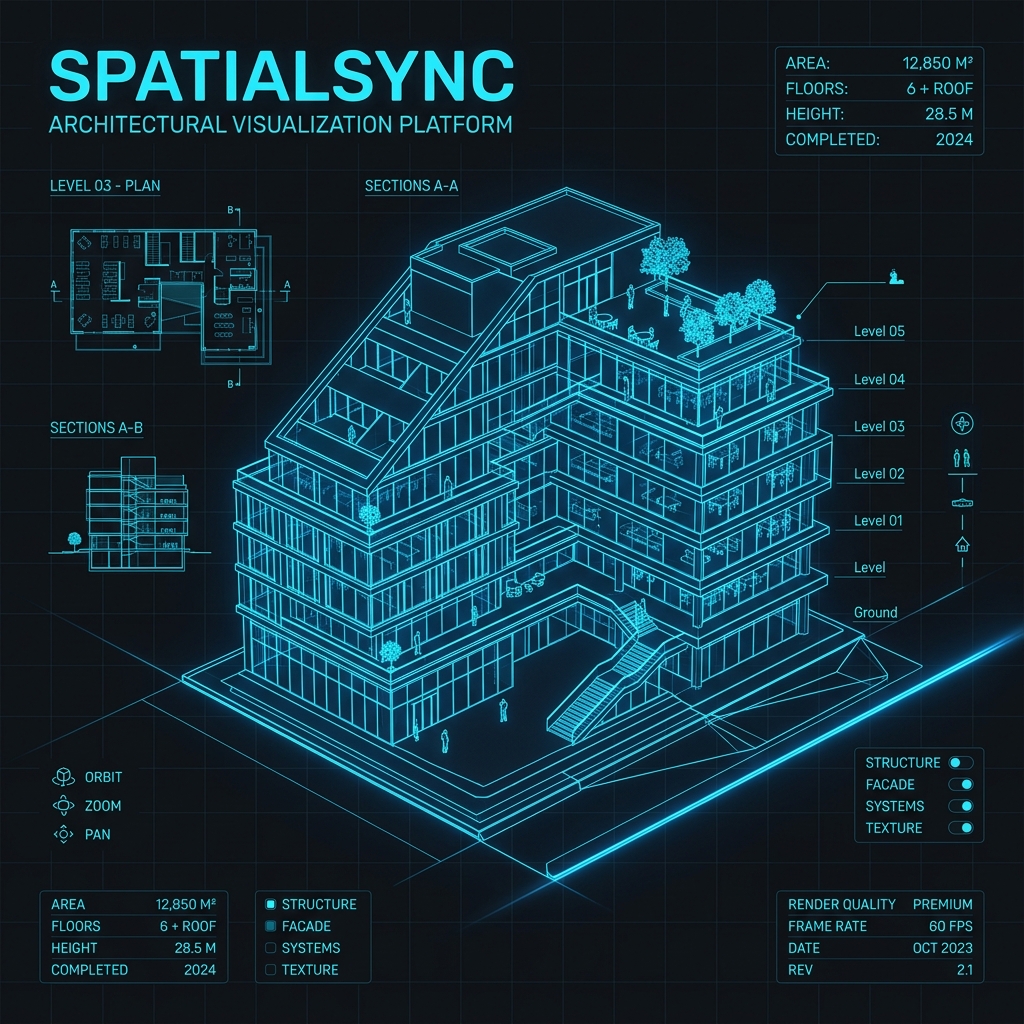
Next-Generation Collaborative 3D Architectural Engine
Real-time multi-user 3D building design — in the browser, no plugins required.
🌐 Live Demo · ⚡ Quick Start · ✨ Features · 🛠️ Tech Stack · 👥 Team







- Overview
- Suggested Repo Names
- Features
- Tech Stack
- Architecture
- Database Schema
- Quick Start
- Keyboard Shortcuts
- Deployment
- API Reference
- Team
- License
SpatialSync is a premium, browser-native collaborative 3D architectural platform. Teams of architects, engineers, and designers can simultaneously construct, annotate, and review spatial layouts — all synchronised in sub-second real-time via Supabase WebSockets.
No desktop software. No plugins. Just open a browser.
Built as a capstone academic project showcasing enterprise-grade engineering: real-time collaboration, biometric identity, WebGL 3D rendering, RBAC security, and a polished 2026 design system — all running on a PHP + Supabase stack.
The heart of SpatialSync — a full WebGL 3D editor running in the browser, powered by Three.js.
| Feature | Details |
|---|---|
| 16+ Smart Building Parts | Walls, Floors, Roofs, Doors, Windows, Stairs — all with auto-height and auto-snap |
| Multi-Floor Support | Up to 10 independent floor levels with quick floor navigator (↑/↓ arrows) |
| Custom Polygon Drawing | Freeform geometry creation for irregular floor plans |
| Texture Mapping | Apply material textures (brick, marble, wood, glass) to any surface |
| Wall Colour Picker | Per-wall custom colour with real-time preview |
| Roof Toggle | Show/hide roof for interior inspection |
| Undo / Redo | Full history stack — Ctrl+Z / Ctrl+Y / Ctrl+Shift+Z |
| Auto-Save | Manual save + periodic auto-sync to Supabase |
| Export PNG | High-quality screenshot of the current 3D viewport |
| Export JSON | Full geometry data backup for re-import |
| Export Blueprint PDF | Professional 2D floor-plan drawing generated from the 3D model |
| Orbit Controls | Click-drag to rotate, scroll to zoom, right-drag to pan |
| Keyboard Navigation | Full shortcut system (see Keyboard Shortcuts) |
| Pricing Engine | Dynamic cost estimation updates in real-time as parts are placed |
Multiple users can edit the same build simultaneously with zero conflicts.
| Feature | Details |
|---|---|
| Live Sync | Sub-second state synchronisation via Supabase Realtime WebSocket channels |
| Connection Indicator | Live status badge: Live / Syncing... / Reconnecting... / Offline |
| Reconnection Logic | Automatic exponential backoff (5–6 s) with up to 5 retry attempts |
| In-App Chat | Persistent workspace chat panel — messages stored in the database |
| Invite by Email | Search registered users by name/email and add them directly |
| Share Link | Generate a one-click invite URL for external collaborators |
| Role-Based Editing | Editors can modify; Viewers get a read-only badge and cannot change anything |
| Timestamped Mutations | Conflict-free state resolution using server-side timestamps |
Change the world your building lives in — all rendered in real-time 3D.
| Scenery | Description |
|---|---|
| 🏘️ Modern Neighborhood | Sidewalks, roads & city trees |
| 🌲 Nature & Mountains | Forest backdrop with rolling hills |
| 🏙️ Urban City | Dense city blocks & grid streets |
| 🏜️ Desert Oasis | Sand dunes & arid landscape |
Day / Night Toggle — Switch between full sunlight and an atmospheric night scene with a single click (or press B). Ambient lighting, shadows, and sky colour all update live.
Built directly into the collaboration sidebar — no external tool required.
- Create issues with title, description, priority, and status
- Status workflow:
Open→In Progress→Resolved - Live badge count on the Issues tab
- Linked to the specific build
SpatialSync implements passwordless Biometric login using the device camera.
- Face Recognition — powered by
face-api.jswith pre-trained TensorFlow.js models - Face Model HUD — real-time facial landmark overlay during scan
- Fallback — standard email/password login always available
- Model Loading Indicator — "Initialising Neural Engine..." state while face models load
- Threshold Configurable — recognition confidence threshold in
BiometricAuthController.php
A dedicated admin interface for platform management.
| Page | Features |
|---|---|
| Dashboard | Platform-wide stats, user activity, recent builds |
| Users | View all registered users, promote to admin, deactivate accounts |
| Builds | View, manage, or delete any build on the platform |
| Presets | Create and manage reusable building-part presets |
| Security | Audit logs, RBAC overview, permission management |
Role Levels:
Admin— Full platform access, user management, all buildsEditor / Architect— Create and edit their own builds, invite membersViewer— Read-only access to shared builds
- Dynamic Material Pricing — Estimated cost updates live as parts are added/removed
- Checkout Flow — Simulated plan upgrade page
- Contact Sales — Enterprise inquiry form
SpatialSync is built on the OpenCode UI/UX 2026 design system.
- Design Language: Premium Modern — polished, confident, professional
- Design Tokens: 3-tier token system (global → semantic → component) in CSS custom properties
- Dark & Light Mode —
[data-theme]toggle on<html>, persisted across sessions - 10-State Components — Every interactive element handles:
default,hover,focus,active,loading,disabled,error,success,empty,busy - Mobile-First — Designed at 390 px, expands outward
- 8px Grid — All spacing on the 8 px scale
- Glassmorphism — Auth pages, modals, and panels use
backdrop-filter: blur() - Micro-Animations — Stagger reveals, hover lifts, connection pulse animations
- SweetAlert2 — All alerts and confirmations use a custom-themed SweetAlert2 mixin — no native
alert() - Lucide Icons — Consistent icon set throughout
- Fluid Typography —
clamp()based scaling for headings - Skeleton Loading — Every async state has a shimmer skeleton, never a blank screen
| Technology | Version | Purpose |
|---|---|---|
| Laravel | 11.x | Core MVC framework, routing, middleware, auth |
| PHP | 8.2+ | Server runtime |
| Laravel Sanctum | 4.x | API token authentication |
| Laravel Jetstream | 5.x | Team management scaffolding |
| Livewire | 3.x | Server-rendered reactive components |
| Laravel Pint | 1.x | Code style enforcement |
| Technology | Purpose |
|---|---|
| Supabase | Managed PostgreSQL + Realtime WebSocket engine |
| PostgreSQL | Primary relational database (via Supabase) |
| Supabase Realtime | WebSocket channels for live state sync |
| Supabase Storage | File and asset storage |
| Supabase PHP SDK | saeedvir/supabase — server-side DB queries |
| Technology | Version | Purpose |
|---|---|---|
| Three.js | 0.183 | WebGL 3D rendering engine |
| Fabric.js | 5.x | Canvas 2D overlay for blueprint/floor-plan tools |
| Alpine.js | 3.x | Lightweight reactivity and component state |
| @supabase/supabase-js | 2.x | Client-side Realtime subscription |
| face-api.js | — | Browser-native face recognition (TensorFlow.js) |
| Tailwind CSS | 3.4 | Utility CSS framework |
| Vite | 5.x | Asset bundler and dev server |
| Lucide Icons | Latest | Icon library |
| SweetAlert2 | 11.x | Premium modal dialogs |
| Technology | Purpose |
|---|---|
| Render | Production cloud hosting |
| Docker | Containerised deployment (Dockerfile included) |
| GitHub Actions | CI/CD pipeline |
graph TD
    USER["👤 Browser Client"] -->|HTTPS| FE["Frontend Layer\nAlpine.js + Three.js"]
    FE -->|WebGL Canvas| R3D["3D Rendering Engine\nThree.js + Fabric.js"]
    FE -->|REST API| BE["Laravel 11 Backend"]
    FE <-->|WebSocket Realtime| SR["Supabase Realtime\nChannel: build:{id}"]
    FE -->|face-api.js| BIO["Biometric Scanner\nFace Recognition"]
    BE -->|Sanctum + RBAC| DB[("PostgreSQL\nvia Supabase")]
    SR --> DB
    BE -->|Middleware| ADMIN["Admin Panel\n/admin/*"]
    BE -->|BotSeoMiddleware| BOT["Social Bot Fast-Path\nOG Meta HTML"]

    style USER fill:#3B82F6,color:#fff,stroke:none
    style R3D fill:#8B5CF6,color:#fff,stroke:none
    style DB fill:#10B981,color:#fff,stroke:none
    style SR fill:#3ECF8E,color:#fff,stroke:none
    style BIO fill:#F59E0B,color:#fff,stroke:none
| Decision | Rationale |
|---|---|
| Supabase Realtime over Laravel Echo | Zero infrastructure overhead — no Redis or separate WebSocket server needed |
| Debounced display status (3 s) | Prevents UI jitter from transient network drops without alarming the user |
| 8-second grace period on connect | Avoids false "disconnected" alerts during initial page load |
| BotSeoMiddleware (prepend) | Social scrapers (Facebook/Twitter) get instant static OG HTML — bypasses full SPA boot |
| face-api.js on client | Face recognition runs 100% in-browser — no biometric data ever leaves the device |
users                  — Auth accounts, admin flag, profile data
├── teams              — Workspace teams (Jetstream)
├── personal_access_tokens — Sanctum API tokens

builds                 — 3D build projects (name, owner, visibility)
├── build_parts        — Individual 3D parts (type, position, rotation, texture, colour, shape_points)
├── build_members      — Collaborator list with role (admin/editor/viewer)
├── build_messages     — In-app chat messages per build
├── build_shares       — Shareable invite token links
├── build_issues       — Bug/issue tracker entries per build
└── part_presets       — Reusable part templates (admin-managed)

notifications          — Platform-wide notification records
Supabase Realtime is enabled on
build_parts,build_messages, andbuild_issuestables. Seedatabase/migrations/enable_supabase_realtime.sql.
Make sure you have the following installed:
| Tool | Version | Check |
|---|---|---|
| PHP | ≥ 8.2 | php -v |
| Composer | ≥ 2.x | composer -V |
| Node.js | ≥ 18.x | node -v |
| npm | ≥ 9.x | npm -v |
| Git | Any | git -v |
You also need a free Supabase account and project.
# Clone the repository
git clone https://github.com/dev-lou/SpatialSync.git
cd SpatialSync

# Install PHP dependencies
composer install

# Install Node dependencies
npm install- Go to supabase.com → New Project
- Note down your Project URL, anon key, and service_role key from:
Settings → API - Note down your Database Host from:
Settings → Database → Connection String → URI(use the pooler host on port6543) - Run the full schema in the SQL Editor:
-- Copy and paste the entire contents of:
database/migrations/supabase_schema.sql- Enable Realtime on the required tables:
-- Copy and paste:
database/migrations/enable_supabase_realtime.sql- (Optional) Seed with example data:
-- Copy and paste:
database/migrations/supabase_migration_data.sql# Copy the example environment file
cp .env.example .env
# Generate a unique application key
php artisan key:generateNow open .env and fill in your values:
APP_NAME="SpatialSync"
APP_ENV=local
APP_KEY=            # auto-filled by php artisan key:generate
APP_DEBUG=true
APP_URL=http://localhost:8000

# ── Supabase ─────────────────────────────────────────
SUPABASE_URL=https://xxxxxxxxxxxx.supabase.co
SUPABASE_SERVICE_KEY=eyJhbGciOiJIUzI1NiIsInR5cCI6IkpXVCJ9...
SUPABASE_ANON_KEY=eyJhbGciOiJIUzI1NiIsInR5cCI6IkpXVCJ9...

# ── Database (Supabase PostgreSQL pooler) ────────────
DB_CONNECTION=pgsql
DB_HOST=db.xxxxxxxxxxxx.supabase.co
DB_PORT=6543
DB_DATABASE=postgres
DB_USERNAME=postgres
DB_PASSWORD=your-supabase-password

# ── Session & Cache ──────────────────────────────────
SESSION_DRIVER=file
CACHE_DRIVER=file
QUEUE_CONNECTION=sync
⚠️ Never commit your.envfile. It is already listed in.gitignore.
Run Laravel's built-in migrations (creates the local relational tables Sanctum needs):
php artisan migrateThe main application data (builds, parts, messages) lives in Supabase PostgreSQL and was set up in Step 2. The Laravel migrations handle
users,teams,personal_access_tokens, andnotifications.
Open two terminal windows side-by-side:
Terminal 1 — Vite Dev Server (hot reload):
npm run devTerminal 2 — Laravel Server:
php artisan serveYour app is now running at http://localhost:8000 🎉
Production build (when deploying):
npm run build
php artisan config:cache
php artisan route:cache
php artisan view:cache
- Register a new account at
/register - In your Supabase dashboard → Table Editor →
users - Find your user row and set
is_admin = true - Refresh the app — the Admin link will appear in your navigation
Alternatively via Laravel Tinker:
php artisan tinker\App\Models\User::where('email', 'your@email.com')->update(['is_admin' => true]);These shortcuts are active while inside the 3D Build Editor:
| Key | Action |
|---|---|
W A S D |
Move the selected part |
R |
Rotate selected part 45° |
G |
Delete selected part |
T |
Open Transform mode |
SPACE |
Reset camera to default view |
Q |
Cancel current action |
B |
Toggle Day / Night mode |
Ctrl + Z |
Undo last action |
Ctrl + Y / Ctrl + Shift + Z |
Redo |
SpatialSync includes a complete production configuration for Render.
# The render.yaml at the project root configures the service automatically.
# Just connect your GitHub repo to Render and it will detect it.Set all variables from your .env in Render → Environment. Key production overrides:
APP_ENV=production
APP_DEBUG=false
APP_URL=https://your-custom-domain.com
SESSION_DRIVER=file
CACHE_DRIVER=fileA Dockerfile is included for custom container deployments:
docker build -t spatialsync .
docker run -p 8000:8000 --env-file .env spatialsyncAll API routes are prefixed with /api and protected by Laravel Sanctum.
| Method | Endpoint | Description |
|---|---|---|
GET |
/api/builds/{id}/parts |
Fetch all parts for a build |
POST |
/api/builds/{id}/parts |
Create a new part |
PUT |
/api/parts/{id} |
Update part position/rotation/texture |
DELETE |
/api/parts/{id} |
Delete a part |
| Method | Endpoint | Description |
|---|---|---|
GET |
/api/builds/{id}/messages |
Get chat history |
POST |
/api/builds/{id}/messages |
Send a chat message |
GET |
/api/builds/{id}/members |
List collaborators |
POST |
/api/builds/{id}/members |
Invite a collaborator |
PUT |
/api/permissions/{id} |
Update member role |
| Method | Endpoint | Description |
|---|---|---|
GET |
/api/builds/{id}/issues |
List build issues |
POST |
/api/builds/{id}/issues |
Create an issue |
PUT |
/api/issues/{id} |
Update issue status/priority |
DELETE |
/api/issues/{id} |
Delete an issue |
| Method | Endpoint | Description |
|---|---|---|
POST |
/api/builds/{id}/share |
Generate shareable invite link |
GET |
/join/{token} |
Join via invite token |
This project is licensed under the MIT License.
See the LICENSE file for full details.
MIT License — Copyright (c) 2026 SpatialSync Team
Built with ❤️ by the SpatialSync Team · 2026