Zero-click barcode scanning · MPN auto-lookup · Altium BOM import · PureScan warehouse terminal
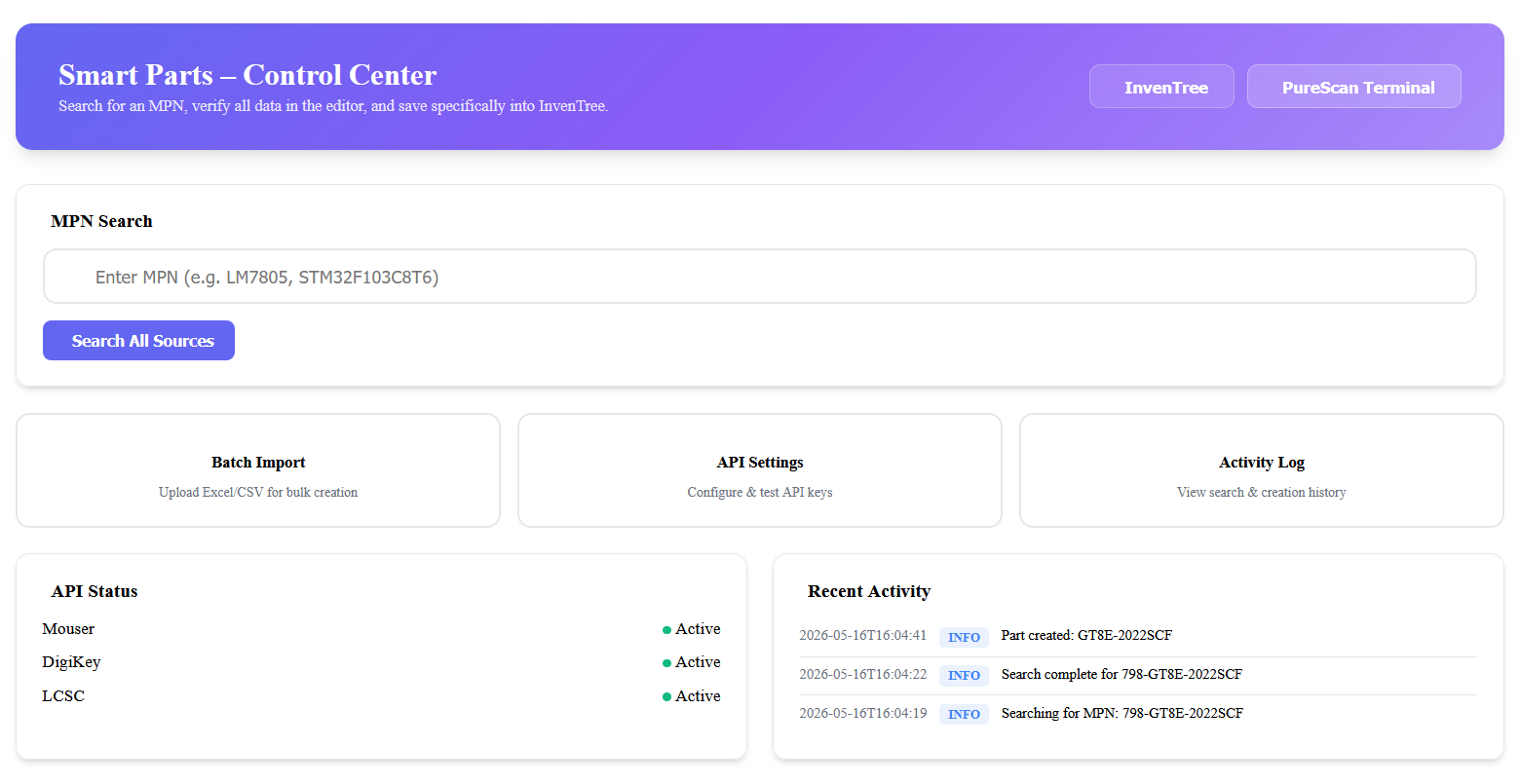
SmartParts is a feature-rich InvenTree plugin that transforms your inventory management into a streamlined, largely automated workflow. It covers the full lifecycle from part discovery to warehouse operations:
| Module | Description |
|---|---|
| MPN Lookup | Scan a distributor bag barcode → auto-search Mouser, DigiKey, and LCSC APIs → create the part with full specs, images, and parameters |
| Batch BOM Import | Drag & drop an Altium Designer BOM (.csv/.xlsx) → intelligent column mapping → bulk part creation with category learning |
| PureScan Terminal | 100% mouse-free warehouse terminal — Transfer, Add, Remove, Stocktake, Info, and Undo via sequential barcode scans |
| Auto Label Printing | Every stock transfer or receive triggers automatic label printing to Dymo/Zebra printers |
- InvenTree ≥ 0.15.x (tested on 0.17.x)
- Python ≥ 3.9
- Python packages:
requests,openpyxl(auto-installed)
- Mouser API key — for MPN lookup via Mouser
- DigiKey API credentials — for MPN lookup via DigiKey (OAuth2)
- Label printer plugin — e.g. inventree-dymo-plugin for physical label printing
You can install the plugin directly through the InvenTree web interface without touching the command line.
- Navigate to Settings -> Plugins in your InvenTree instance.
- Click on the Install Plugin button.
- Fill in the installation form exactly like this:
- Package Name:
inventree-smart-parts - Source URL:
git+https://github.com/0neShot/SmartParts.git#egg=inventree-smart-parts
- Package Name:
- Click Install.
Then restart InvenTree and activate the plugin in Admin → Plugins.
After installation, navigate to InvenTree → Admin → Plugins → SmartParts → Settings.
| Setting | Description |
|---|---|
MOUSER_ENABLED |
Enable/disable Mouser API |
MOUSER_API_KEY |
Your Mouser Search API key |
DIGIKEY_ENABLED |
Enable/disable DigiKey API |
DIGIKEY_CLIENT_ID |
DigiKey OAuth2 Client ID |
DIGIKEY_CLIENT_SECRET |
DigiKey OAuth2 Client Secret |
LCSC_ENABLED |
Enable/disable LCSC lookup |
| Setting | Description |
|---|---|
DEFAULT_STOCK_LOCATION |
Default location ID for new stock items |
DEFAULT_STOCK_LABEL |
Label template ID for auto-printing |
DEFAULT_PRINT_PLUGIN |
Printer plugin slug (e.g. inventreelabelmachine for Dymo/Zebra) |
| Setting | Description |
|---|---|
LEARNED_CATEGORY_MAPPINGS |
JSON dictionary of learned part-name → category-ID overrides |
CATEGORY_SYNONYMS |
JSON dictionary of category name synonyms |
Tip: The plugin auto-learns category overrides when you manually correct a category assignment. These are persisted and applied automatically on future imports.
- Open the SmartParts dashboard
- Scan a distributor barcode (Mouser, DigiKey, or LCSC bag label)
- The scanner auto-detects the MPN, searches all enabled APIs, and shows the result
- Click Create Part + Stock to receive the part with one click
- A label is automatically sent to your configured printer
- Click Batch Import in the SmartParts dashboard
- Upload an Altium Designer BOM file (
.csvor.xlsx) - Map columns using the intelligent auto-mapper
- Review the preview — the system auto-detects duplicates and suggests categories
- Click Import All to create parts and stock in bulk
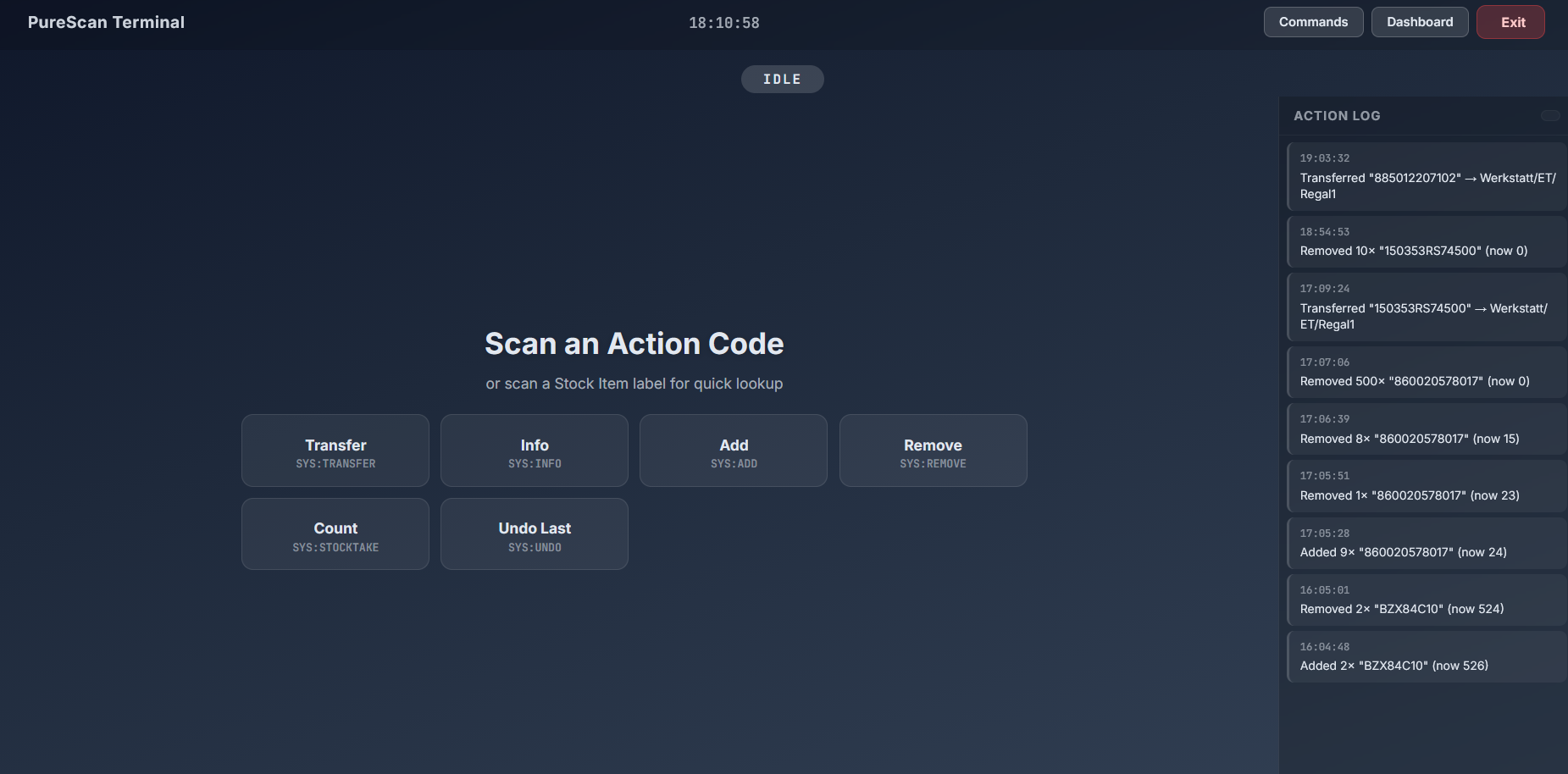
PureScan is a full-screen, 100% keyboard-free warehouse terminal controlled entirely by barcode scanning.
- Open PureScan from the SmartParts dashboard
- Print the Command Sheet (accessible from PureScan or the dashboard)
- Place the printed sheet at your warehouse workstation
Scan ACTION code → Scan ITEM barcode → [Scan QTY codes] → Auto-execute
| Code | Action | Description |
|---|---|---|
SYS:TRANSFER |
Transfer | Move stock to a new location |
SYS:ADD |
Add | Add quantity to stock |
SYS:REMOVE |
Remove | Remove quantity (with depletion safeguard) |
SYS:STOCKTAKE |
Stocktake | Set exact count |
SYS:INFO |
Info | Lookup stock item or location details |
SYS:UNDO |
Undo | Revert the last action |
SYS:CANCEL |
Cancel | Reset to idle |
SYS:CLEARLOG |
Clear | Clear the action log |
For Add/Remove/Stocktake, scan quantity codes (SYS:QTY:1, SYS:QTY:5, etc.) to set the amount. Multiple scans within 3 seconds accumulate (e.g., scanning QTY:10 twice = 20). The action auto-fires after the 3-second timeout.
Scan any StockLocation barcode in idle state to see a complete inventory table of all items at that location, with part thumbnails and quantities.
Every successful Transfer automatically sends a label print job to your configured printer, so the physical label always matches the new location.
The action log survives browser refreshes (stored in localStorage). All actions include audit notes in the InvenTree database (e.g., "Transferred via PureScan").
Print the Command Sheet from:
- PureScan Terminal → button bar
- SmartParts Dashboard → PureScan section
The sheet prints as two clean A4 pages:
- Page 1: Action codes + Deep Link QR (scan to open PureScan on mobile)
- Page 2: Quantity codes
SmartParts/
├── setup.py                          # Package installation
├── MANIFEST.in                       # Include templates/static in package
├── LICENSE                           # MIT License
├── README.md                         # This file
│
└── inventree_smart_parts/            # Main plugin package
    ├── __init__.py                   # Package init
    ├── core.py                       # Plugin class, settings, URL routing
    ├── views.py                      # All HTTP views and API endpoints
    │
    ├── api_clients/                  # External API integrations
    │   ├── base.py                   # Base HTTP client
    │   ├── mouser.py                 # Mouser Search API
    │   ├── digikey.py                # DigiKey Product API
    │   └── lcsc.py                   # LCSC lookup
    │
    ├── services/                     # Business logic layer
    │   ├── activity_logger.py        # Activity logging
    │   ├── assembly_builder.py       # Assembly/BOM creation
    │   ├── category_mapper.py        # Fuzzy category matching + learning
    │   ├── data_merger.py            # Multi-API result merging
    │   ├── duplicate_checker.py      # Duplicate part detection
    │   ├── image_handler.py          # Part image download & attach
    │   ├── parameter_normalizer.py   # Parameter value normalization
    │   ├── part_creator.py           # Full part creation pipeline
    │   └── stock_manager.py          # Stock creation & label printing
    │
    ├── batch/                        # Batch import module
    │   ├── altium_parser.py          # Altium BOM parser
    │   └── importer.py               # Batch import pipeline
    │
    ├── tools/                        # Utilities
    │   ├── generate_command_sheet.py  # Standalone QR sheet generator
    │   └── command_sheet.html         # Standalone HTML template
    │
    ├── templates/                    # Django templates
    │   └── inventree_smart_parts/
    │       ├── dashboard.html        # Main plugin dashboard
    │       ├── settings_page.html    # Settings configuration UI
    │       ├── batch_import.html     # Batch BOM import page
    │       ├── purescan.html         # PureScan terminal UI
    │       ├── purescan_commands.html # Command Sheet (print-ready)
    │       ├── search_results.html   # MPN search results
    │       └── logs.html             # Activity log viewer
    │
    └── static/                       # Frontend assets
        └── inventree_smart_parts/ui/
            ├── purescan.js           # PureScan state machine
            ├── scanner.js            # Barcode scanner engine
            ├── editor_main.js        # Part editor logic
            ├── editor_helpers.js     # Editor utilities
            ├── editor.css            # Editor styles
            ├── smartparts_dashboard.js
            ├── smartparts_nav.js
            └── smartparts_panel.js
Integrating an inventory of over 20,000 components, manually entering data is simply not an option. While InvenTree is a fantastic inventory management system, it lacked a direct, user-friendly part creation tool for suppliers like Mouser or Digikey.
I evaluated existing solutions like Ki-nTree and various CLI tools, but they either lacked the specific feature set I needed or were far too complex for non-technical users. I needed a solution that anyone on the warehouse floor could use effortlessly, across different devices, without requiring constant IT support.
Crucially, none of the alternatives offered robust, native barcode parsing support out of the box.
My ultimate vision for SmartParts was simple: 1 Scan + 1 Click. Scan a manufacturer's barcode, click one button, and immediately have all packaging information and parameters populated, datasheets linked, multiple suppliers attached, labels ready to print, and the part cleanly documented in the database.
MIT License — see LICENSE for details.
Built by 0neShot / StarkStrom Augsburg e.V.
Powered by InvenTree — the open-source inventory management system.